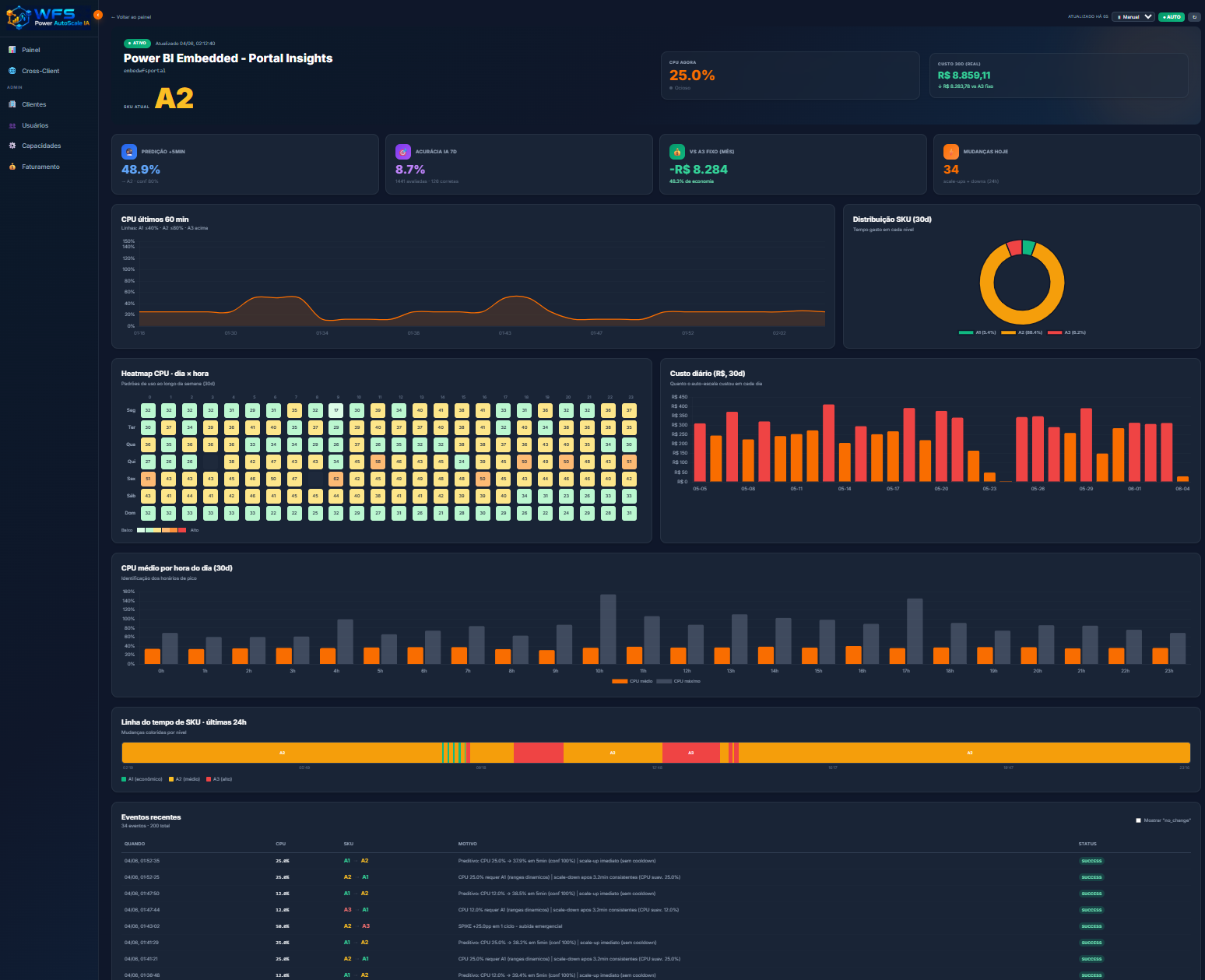
Smart auto-scaling for Power BI Embedded (SKUs A1–A8) with predictive AI, dry-run mode and dynamic ranges. Your capacity stays in your Azure tenant — WFS just manages it. Ideal for studies, POC, staging and real production.
Embedded capacities (A1–A8) cost per uninterrupted hour. Fixing at A4 to handle the peak means paying A4 at night, weekends and dawn too — when nobody is using it. Result: spend that could be 3–10× lower.
Students, instructors, Microsoft certs (PL-300, DA-100). Up only during class, A1 in breaks, off at night. Studying Power BI Embedded becomes viable without burning A4 24/7 budget.
Technical validation before committing to a fixed monthly SKU. Executive demo, client sandbox, staging that only runs in short test windows.
Corporate tenants with predictable peaks (business hours, month-end). Britânia case: A4 at peak, A1 off-peak — over 60% monthly savings with no performance loss at critical hours.
The capacity lives in your Azure tenant. You grant minimum RBAC (Contributor scoped to the capacity's Resource Group) to the WFS Service Principal, register Subscription ID + Resource Group + capacity name in the dashboard, and the scaler starts in DRY-RUN. When you're confident, flip the switch to live in 1 click.
Create an App Registration in your Azure AD or use the SP provided by WFS. Permission: Microsoft.PowerBIDedicated/capacities/* scoped to the Resource Group.
In the WFS PowerAutoScale dashboard, register: Subscription ID, Resource Group, capacity name, ranges (min/max SKU), usage windows.
For ~24h the system simulates decisions without applying. You check projected savings vs baseline, tune ranges, and flip real scaling whenever you want.
Full technical manual with screenshots, ready-to-use az cli commands and permission troubleshooting delivered after subscription. Email support during setup.
No complicated tiers. No trial. Register one or many capacities — pay per each. Add or remove anytime via Stripe Customer Portal.
R$ 1.630/capacity/month
or US$ 329/capacity/month outside Brazil · billed monthly
Azure cost (SKU × hour) billed directly by Microsoft on your Azure account — does not go through WFS, no markup.
For 5+ capacities, cross-tenant balancing, dedicated SLA or multi-capacity reinforced AI, we design a custom contract.
Yours. The capacity is provisioned in your Azure tenant, under your Subscription, and Azure cost (SKU × hour) hits your Microsoft invoice directly — no markup. WFS PowerAutoScale only decides which SKU to run via ARM API. You own the capacity end-to-end; you can revoke the WFS SP permission anytime.
R$ 1,630 per managed capacity per month (or US$ 329 outside Brazil), via Stripe — card, Pix or boleto. The subscription has an adjustable quantity: 3 capacities = 3 × R$ 1,630. Choose monthly (default) or annual (~10% off). Adding/removing capacities is done in the WFS dashboard — Stripe bills the prorated difference automatically on the card.
The dashboard shows a preview before confirmation: "You have 2 capacities. Adding this brings your next bill to 3 × R$ 1,630 = R$ 4,890/month". On confirm, the backend bumps your Stripe subscription quantity; Stripe immediately debits the difference prorated to the remaining cycle on the saved card. Once payment clears (seconds), the new capacity is enabled and enters DRY-RUN. Removal is the reverse — prorated credit lands next cycle.
Monthly is the default (R$ 1,630/cap/month), no lock-in. Annual equals R$ 1,467/cap/month (10% off) — you pay R$ 17,604 per capacity upfront covering 12 months, saving R$ 1,956/cap/year. Continuous use (production) pays back fast. For short studies, monthly gives more flexibility. You can migrate monthly→annual anytime via Customer Portal.
No. Since the product starts in DRY-RUN (simulates decisions without applying), you validate the scaler's value in the first 24–48h after subscribing — and only flip real scaling when comfortable. Cancel in the first 7 days and we refund the full monthly fee.
Very much. Studying/certifying (PL-300, DA-100, DP-500) requires real Embedded to test Premium features. An A4 24/7 costs thousands of dollars per month — unfeasible for students. With PowerAutoScale, run A1–A4 only during class/lab, A1 at idle, pause outside. Azure cost drops sharply; you only pay R$ 1,630/month WFS license.
Yes. AI can pause (capacity Paused state) in zero-usage windows — Azure doesn't bill while paused. You define in the dashboard which windows are safe to pause (e.g. dawn, weekends).
That's why DRY-RUN exists. Before applying real scaling, you run 24–48h simulating and check if AI would react well to peaks. Dynamic ranges (min/max SKU) are configurable per capacity — force minimum at A2 if A1 is too low. Full decision history with rationale is in the dashboard.
Yes. PowerAutoScale is an add-on to Power BI Embedded — it does not replace it. You need an Azure Subscription with at least one Embedded capacity (A1+) provisioned. If you don't have it yet, WFS can help via consulting.
Today, official support is A-SKU (A1–A8). Fabric F-SKU has a different API and scaling model; on the roadmap but not GA yet. Talk to sales if Fabric is a hard requirement now.
Subscribe, set up in ~15 min with our manual, and within 24h see AI's projected savings on your real capacity.
Subscribe now — R$ 1,630/capacity